Spin the Wheel
 · 7 min
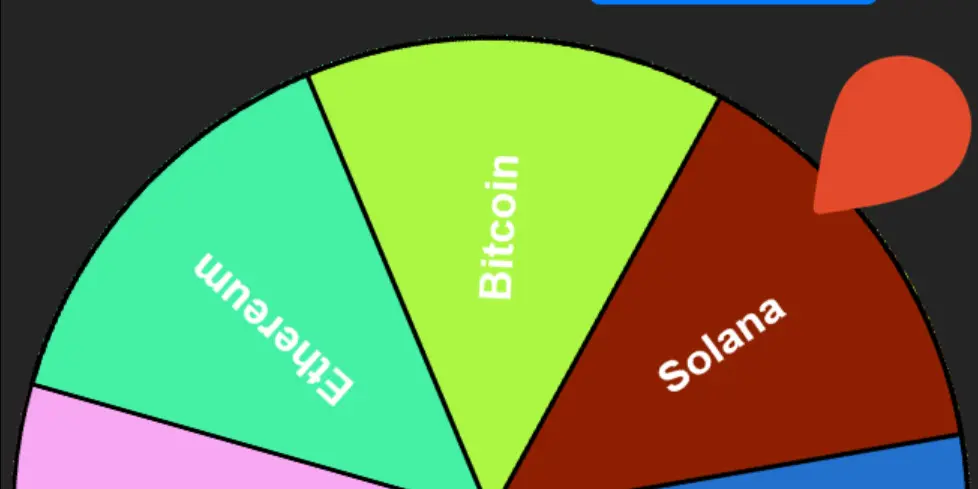
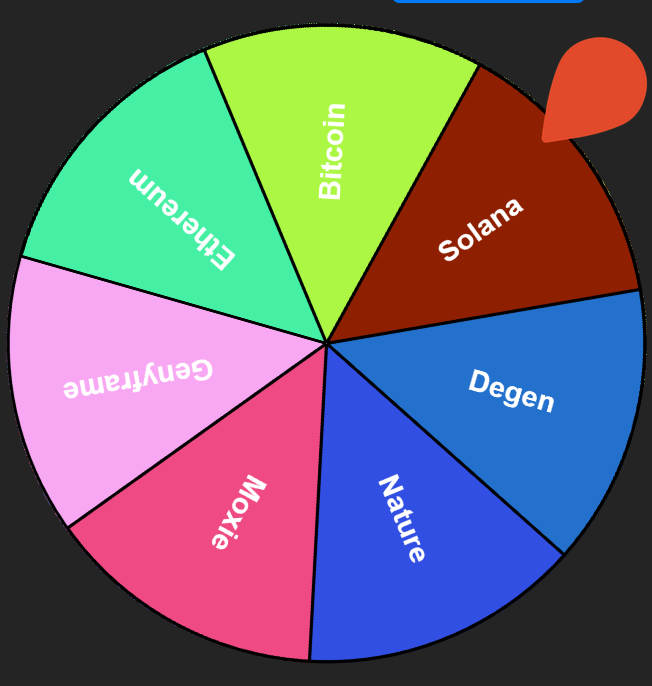
In this article I will describe how I build “Spin the Wheel” frame. The idea of this frame came to me after seeing usage of a wheel in order to select winner for a raffle or for a NFT airdrop.
So let’s go an build a small adds and tracking free application!
1. Initialyze the project
First create a new repository using gh
gh repo create
Next I’ve init a new react application with vite.js
npm create vite@latest . --template react
I’ve selected TypeScript template
At this point a default application is available when running
npm run dev
2. Install dependencies
For this application I have used react-custom-roulette and react-confetti
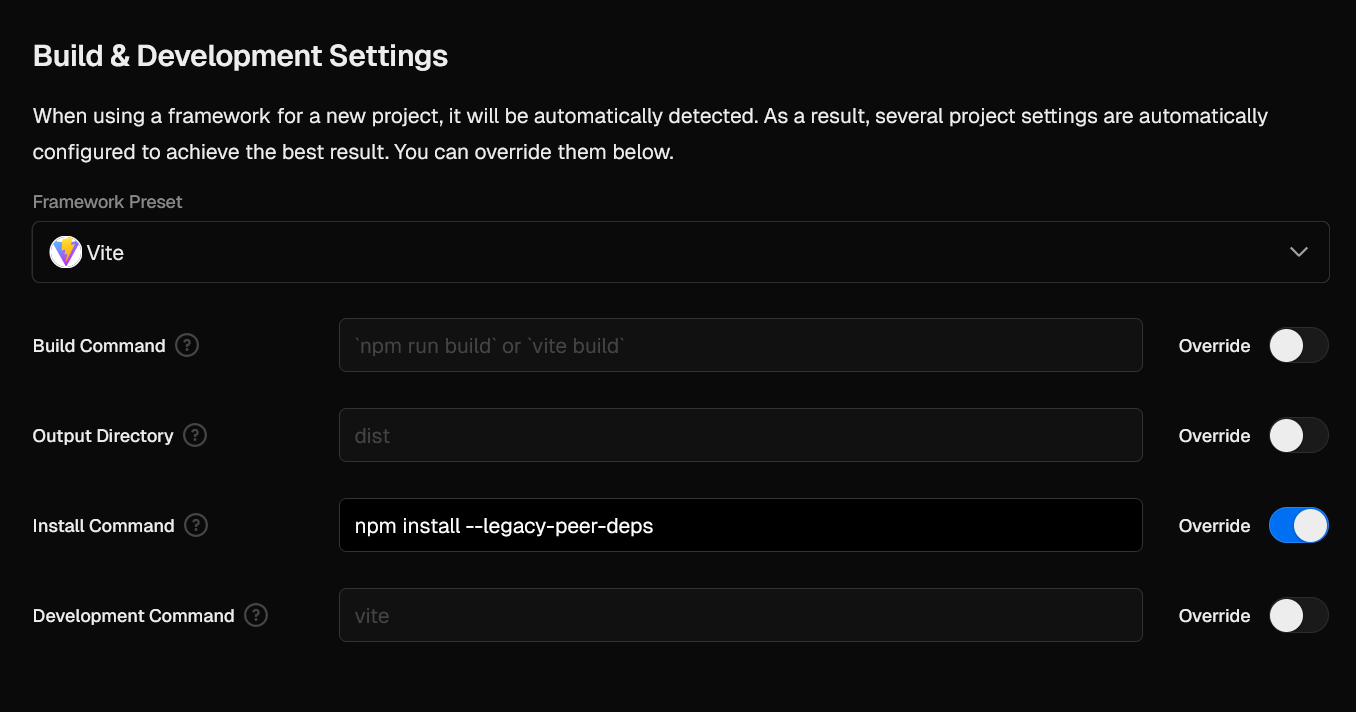
npm i react-custom-roulette react-confetti --legacy-peer-deps
Note the usage of –legacy-peer-deps because both dependencies required react 18 and the project has been initialize with react 19. I could also downgrade react but I prefer force the usage of the libs in order to keep all dependencies to there latest release.
Next I’ve just code a simple App.tsx module and pushed the code to the main repository branch.
import { JSX, useState } from 'react';
import { Wheel } from "react-custom-roulette";
import Confetti from "react-confetti";
import './App.css';
function App(): JSX.Element {
const [labels, setLabels] = useState<{option: string, style: { backgroundColor: string }}[]>([]);
const [newLabel, setNewLabel] = useState<string>("");
const [selectedLabel, setSelectedLabel] = useState<string|null>(null);
const [spinning, setSpinning] = useState<boolean>(false);
const [showConfetti, setShowConfetti] = useState<boolean>(false);
const [prizeNumber, setPrizeNumber] = useState<number>(0);
const addLabel = (): void => {
if (newLabel.trim() !== "") {
const color = `#${Math.floor(Math.random() * 16777215).toString(16)}`;
setLabels([...labels, { option: newLabel, style: { backgroundColor: color } }]);
setNewLabel("");
}
};
const removeLabel = (index: number): void => {
setLabels(labels.filter((_, i: number): boolean => i !== index));
};
const spinWheel = (): void => {
setSelectedLabel(null);
setShowConfetti(false);
if (labels.length === 0 || spinning) return;
setSpinning(true);
const selectedIndex = Math.floor(Math.random() * labels.length);
setPrizeNumber(selectedIndex);
};
const emojis: string[] = ["🎉", "🎊", "🏆", "🥳", "👏", "🔥"];
return (
<div className="container">
{showConfetti &&
<Confetti
gravity={0.1}
wind={0}
/>
}
<h1>Spin the Wheel</h1>
{selectedLabel && <h2>Congratulations {selectedLabel} {emojis[Math.floor(Math.random() * emojis.length)]}</h2>}
<button onClick={spinWheel} disabled={labels.length === 0 || spinning}>
Spin Wheel
</button><br/>
<input
type="text"
value={newLabel}
onChange={(e) => setNewLabel(e.target.value)}
placeholder="Enter name"
disabled={spinning}
/>
<button onClick={addLabel} disabled={spinning}>Add Participant</button>
{labels.length > 0 ? (
<div className="wheel-container">
<Wheel
mustStartSpinning={spinning}
prizeNumber={prizeNumber}
data={labels}
onStopSpinning={() => {
setSpinning(false);
setSelectedLabel(labels[prizeNumber].option);
setShowConfetti(true);
setTimeout(() => {setShowConfetti(false);}, 5000);
}}
backgroundColors={["#f9c74f", "#f94144", "#43aa8b", "#577590"]}
textColors={["#fff"]}
spinDuration={1.0}
innerRadius={0}
outerBorderWidth={2}
radiusLineWidth={2}
/>
</div>
) : (
<p>No participants available</p>
)}
<ul>
{labels.map((label, index) => (
<li key={index} style=>
{label.option}
<button disabled={spinning} onClick={() => removeLabel(index)}>Remove</button>
</li>
))}
</ul>
<footer className="footer">
<p>© 2025 - anyvoid.eth - View on <a href="https://github.com/NicolasMugnier/spin-wheel-anyvoid-eth">GitHub</a></p>
</footer>
</div>
);
}
export default App
3. Deploy the Application
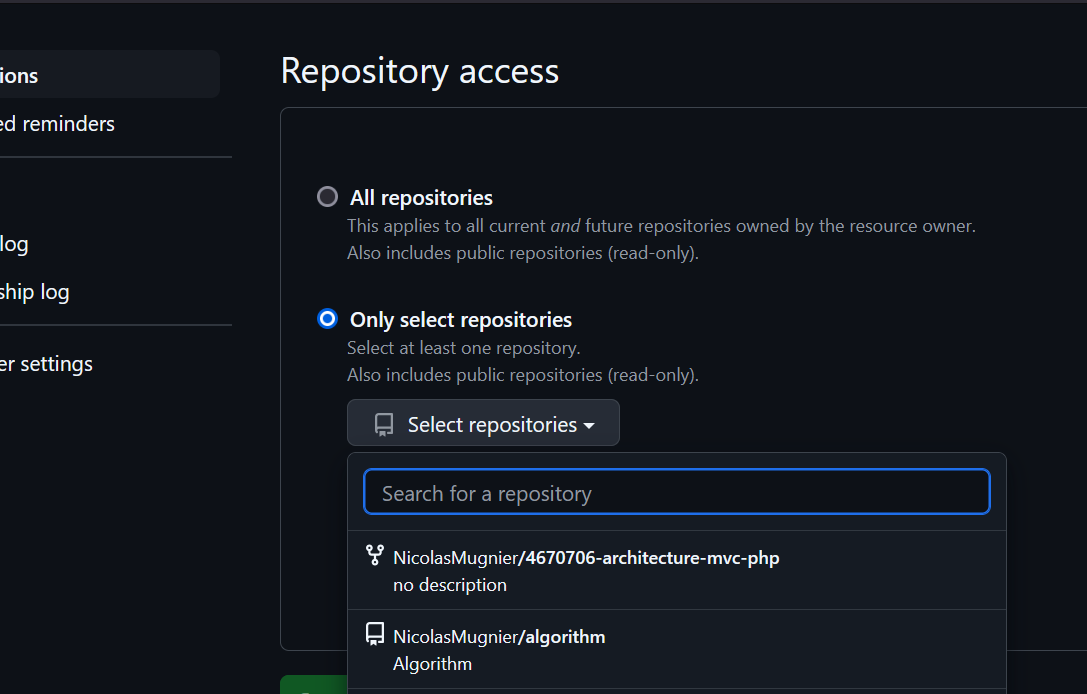
I have selected Vercel in order to host the application. The integration is so fast. After create an account, we can import git repository from “Add new > Project > Import Git Repository”
Next I have to adjust build settings
🎉 the application is now live. The build and deploy take few seconds. Vercel create free hostname based on the repository name.
But Vercel also allow to link an external domain to the application in “Project Settings > Domains” 🙌
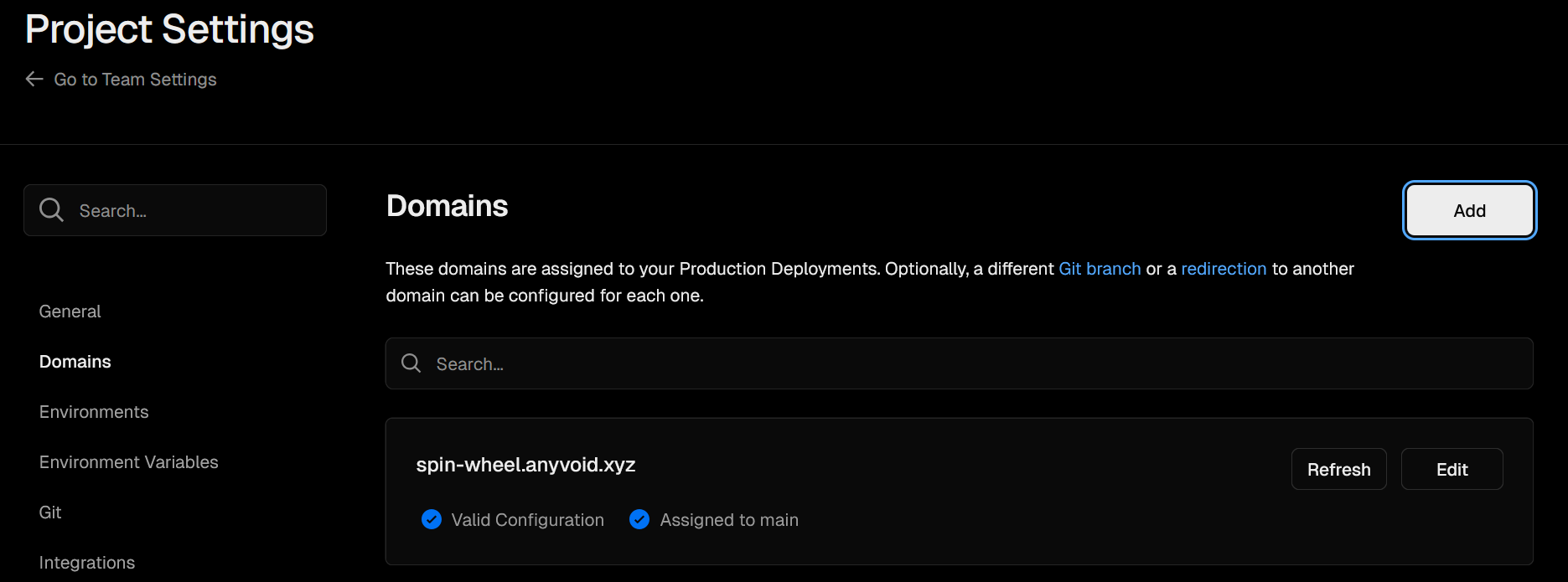
[updated] So now the application is available at https://spin-wheel-anyvoid-eth-three.vercel.app
4. Configure Frame
Now I can configure the frame on the domain configured in Vercel.
npm install @farcaster/frame-sdk --legacy-peer-deps
Load the frame in main.tsx
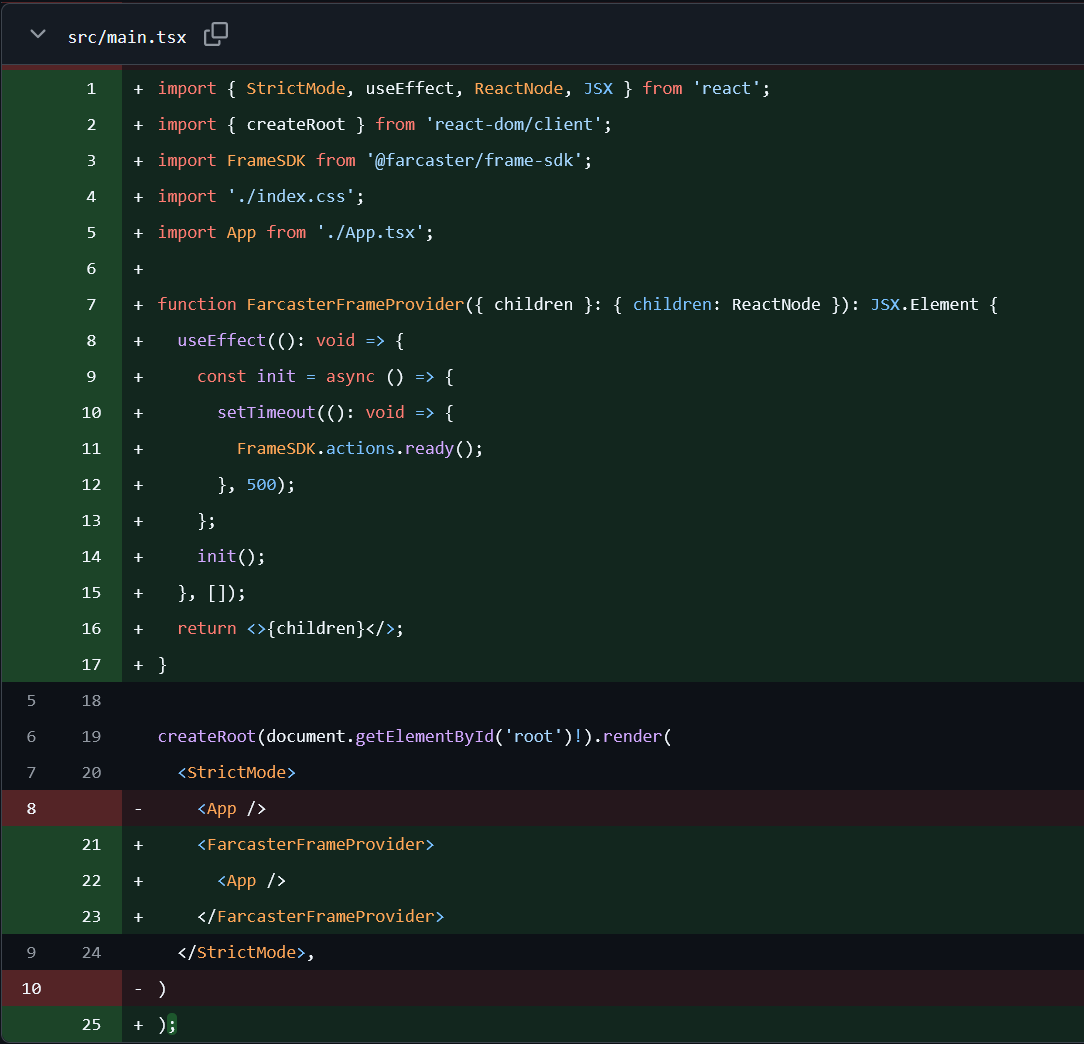
Add .well-known/farcaster.json
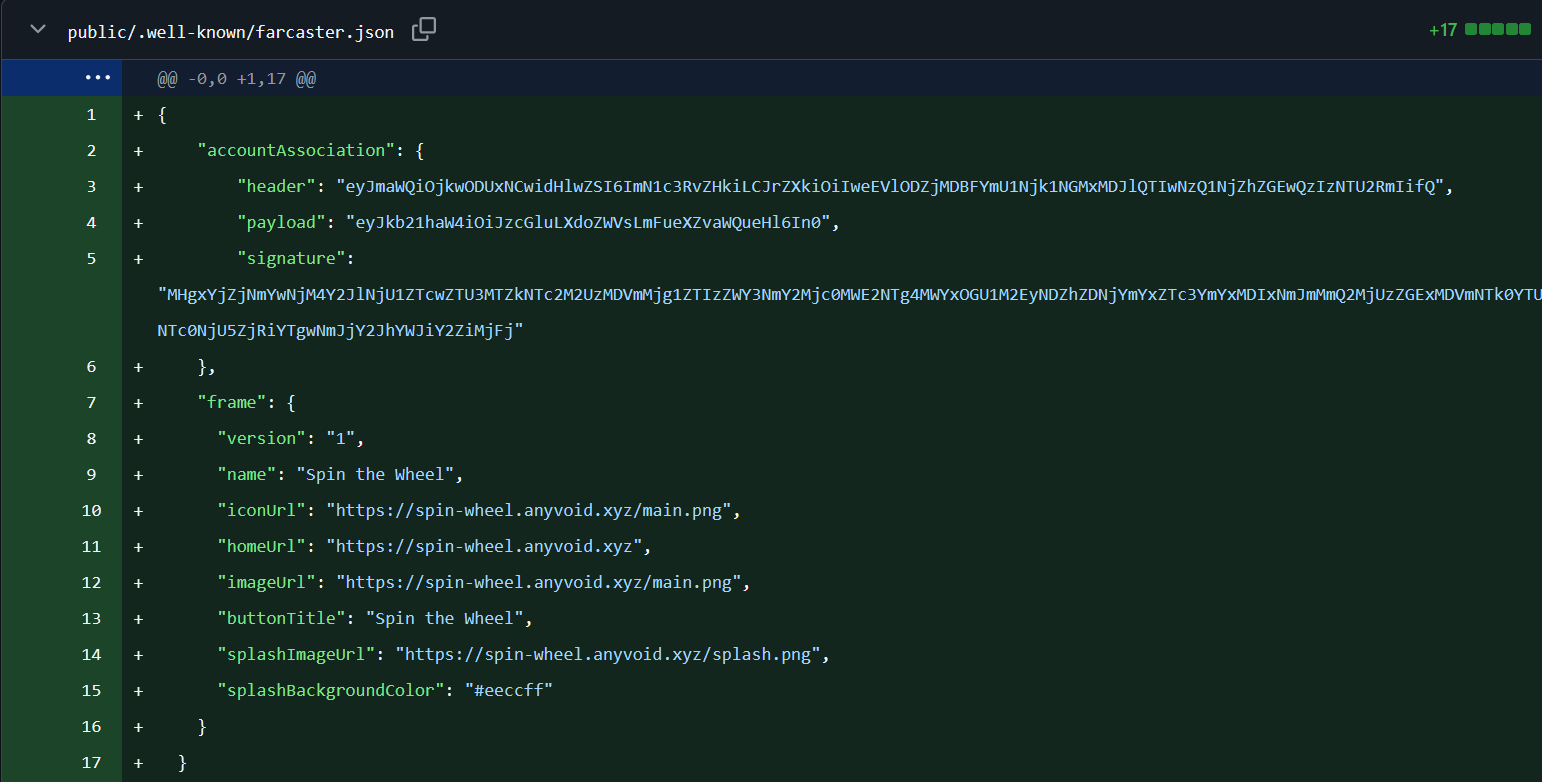
Add fc:frame metadata
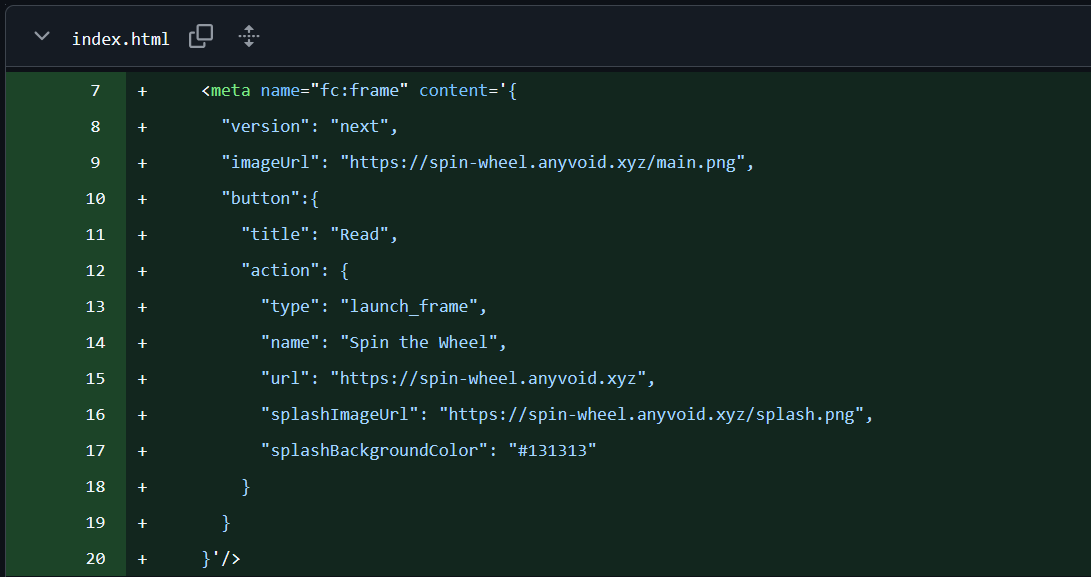
Now as Vercel integration has been configured on the repository, I’ve just to push the updates on the main branch and the deploy will be automatically triggered.
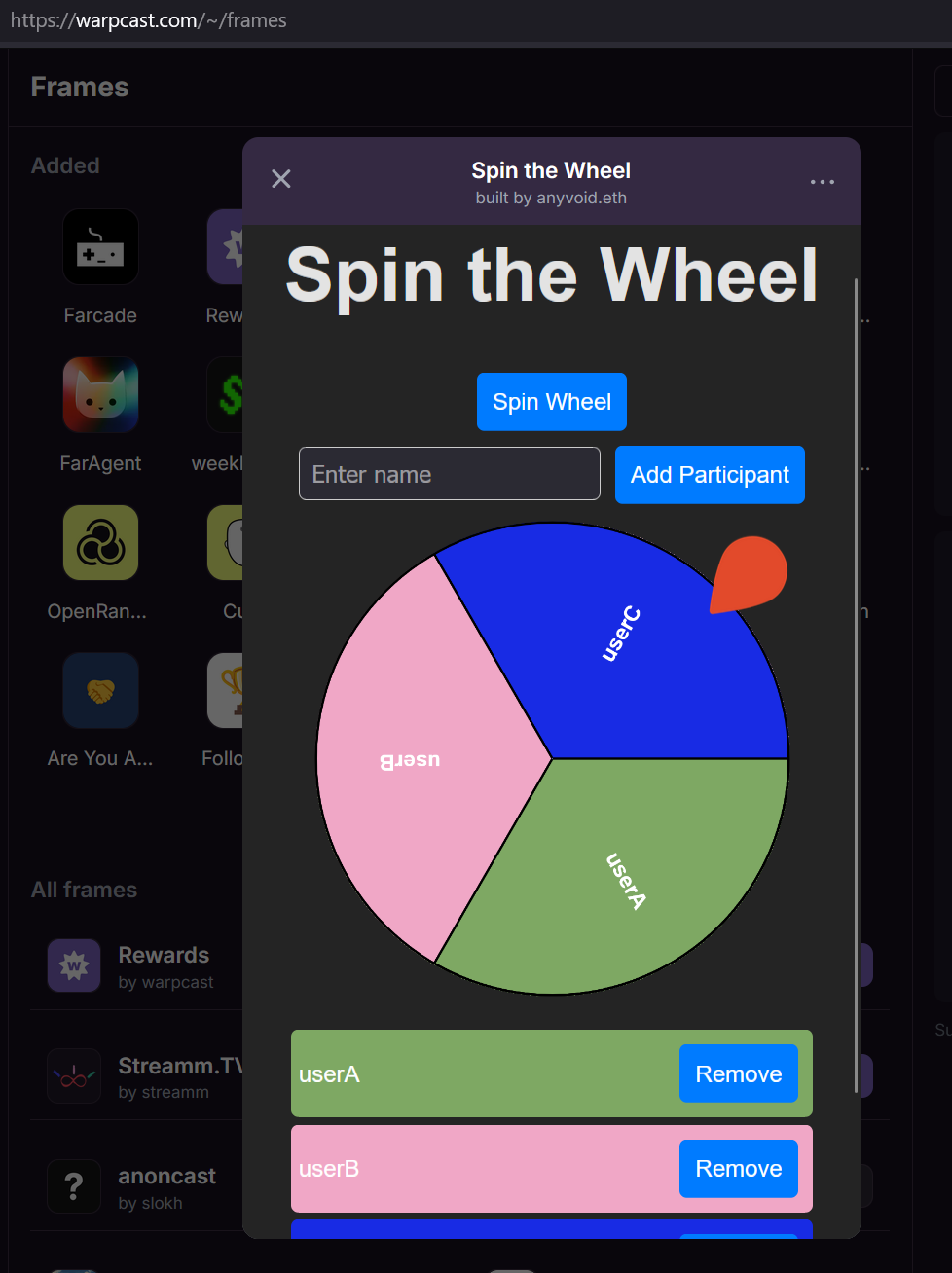
The application is now also accessible into a Farcaster frame
Conclusion
The usage of vite, react and vercel allow to deploy an application very quickly. The usage of a custom domain on a project allow to personalized the project and keep consistency between applications.